Getting startedQRPay gateway API
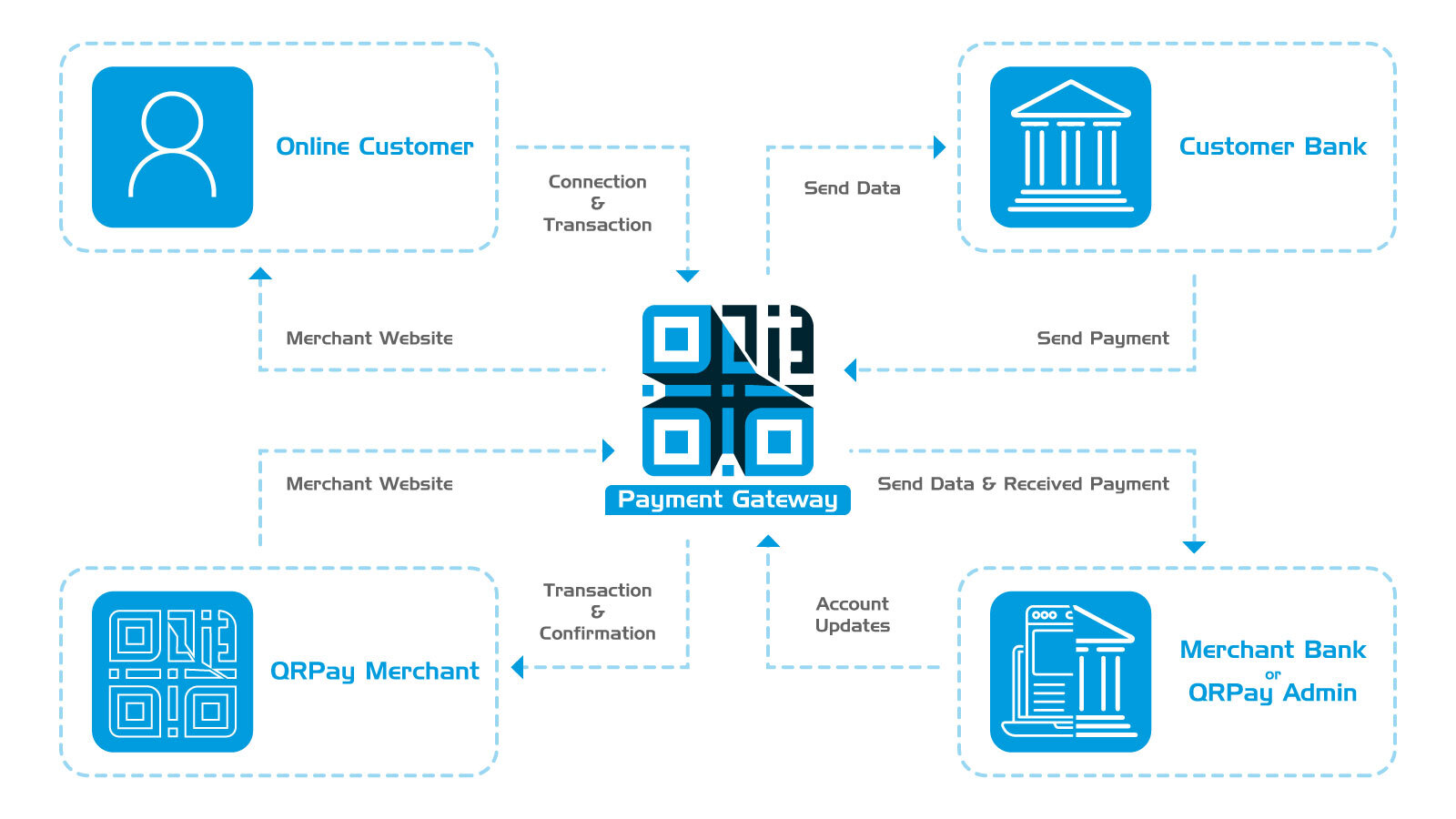
The QRPay gateway API lets your website or app accept payments through a hosted checkout. You never touch card or wallet details — you create a payment session server-side, redirect the customer to a QRPay-hosted payment_url, and QRPay sends them back to your site with a verifiable result. Any language that can make HTTPS requests can integrate; the docs show PHP with Guzzle, but the API is plain JSON over REST.
How integration works
The whole flow is four calls and one redirect:
- Get an access token. Exchange your Client/Primary key and Secret key for a short-lived Bearer token (valid 600 seconds). See Access token.
- Create a payment. POST /payment/create with the amount, currency and your return_url. QRPay responds with a session token and a hosted payment_url. See Initiate payment.
- Redirect the customer. Send them to the payment_url — QRPay renders the checkout and collects the payment.
- Verify the result. QRPay redirects the customer back to your return_url with the session token, transaction id and payer details. Match the token to your stored order before fulfilling it. See Verify payment.
Every key starts in SANDBOX mode, so you can run the full flow end to end without moving real money, then switch the key to PRODUCTION in your merchant panel when you go live — same URLs, same code.
Explore the docs
PrerequisitesWhat you need before you start — a merchant account, API keys and an HTTPS server. AuthenticationHow API keys and Bearer tokens work together, and how to keep keys safe. Initiate paymentThe core endpoint — create a session and get the hosted checkout URL. Response codesThe response envelope and every status code the API returns. Code examplesComplete, copy-paste integration samples covering the full flow.  Developer